

Sales
How to follow the payments received for the licenses you sold and your share of each one.
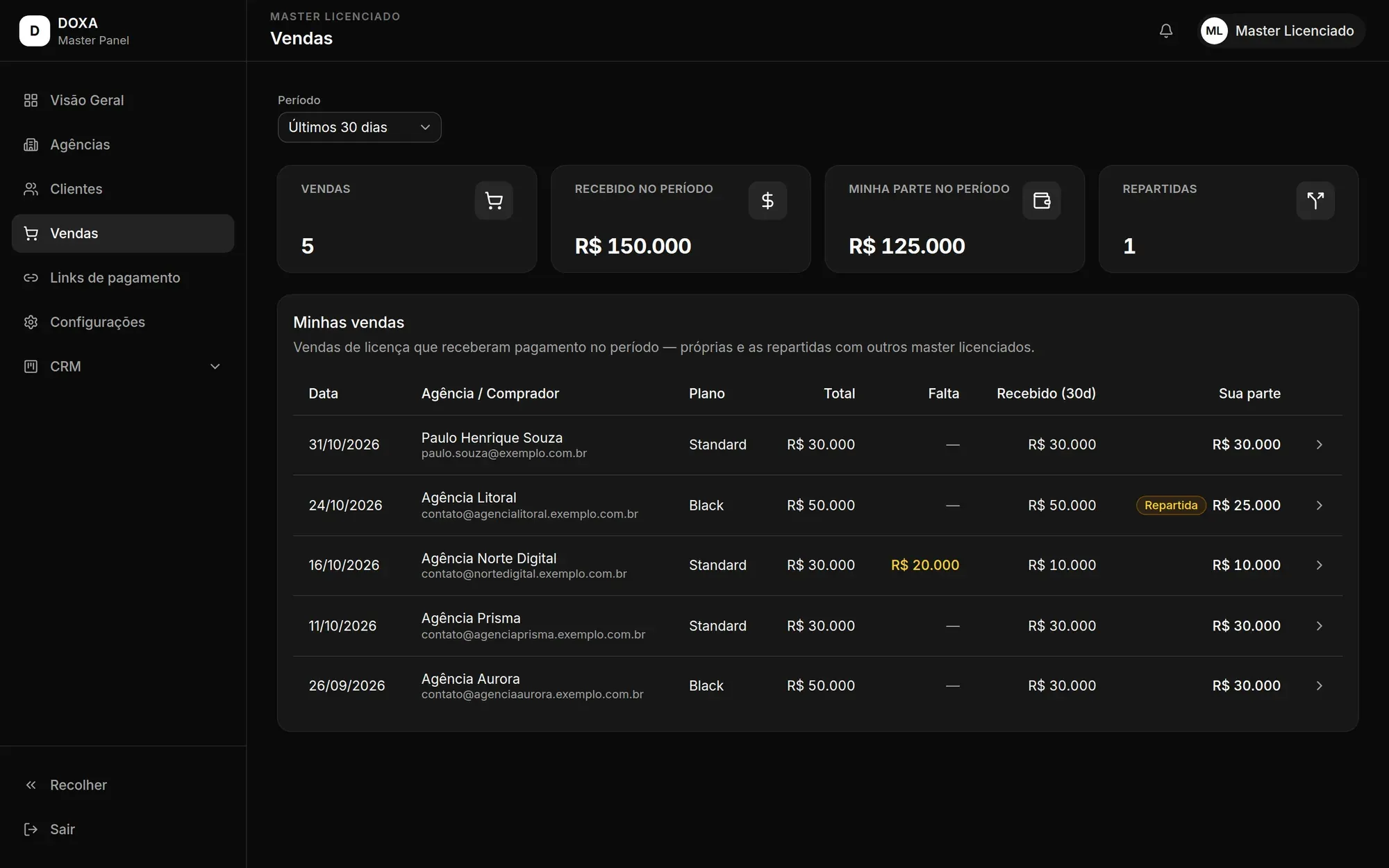
The Sales screen lists the license sales that received a payment in the selected period. It includes your own sales and the sales split with other master licensees.
Period
Section titled “Period”Choose the Period at the top of the screen: Last 7 days, Last 30 days, Last 90 days or Last 12 months. The cards and the list change with it.
Figures at the top
Section titled “Figures at the top”- Sales: how many sales received a payment in the period.
- Received this period: how much came in during the period.
- My share this period: how much of that amount is yours.
- Split: how many of those sales are split with other masters.
My sales
Section titled “My sales”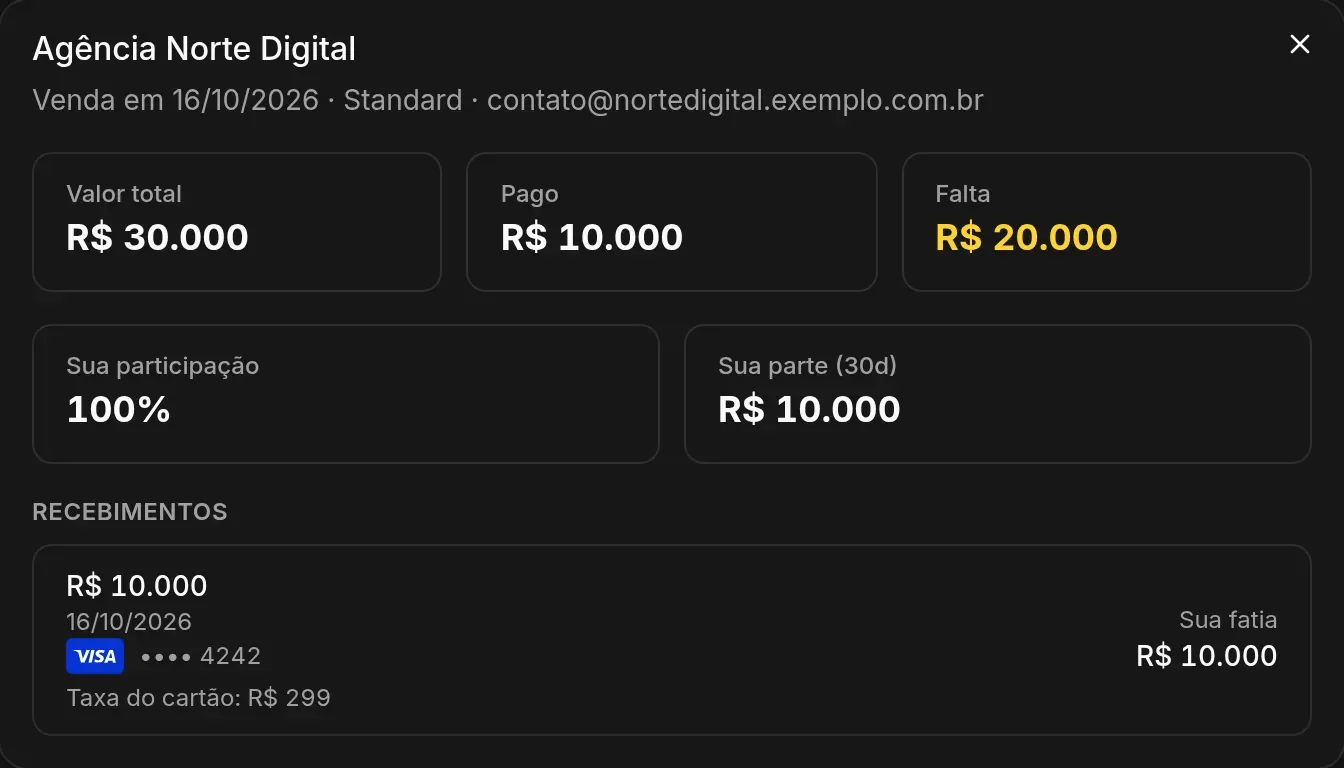
Each row in the My sales list shows the Date, the Agency / buyer, the Plan, the Total, how much is still Remaining, how much was received in the period and Your share. Split sales carry the Split tag.
Click a sale to see its details:
- Total amount, how much has been Paid and how much is Remaining.
- Your stake in the sale and your share for the period.
- Receipts: each payment received, with amount, date, the payment method (for cards, the card brand and last digits), the payment fee when there is one, and Your share.
License balance charged on the first sale
Section titled “License balance charged on the first sale”When the agency pays for the license with upfront + balance (through a partial payment link or in a manual sale with an open balance), the balance is charged as soon as it makes its first sale to a client.
- The client’s sale is approved and Doxa creates the balance charge. The agency gets the Pagamento pendente da sua licença DOXA (pending payment for your DOXA license) email, with the link to pay. The balance is paid in full by card.
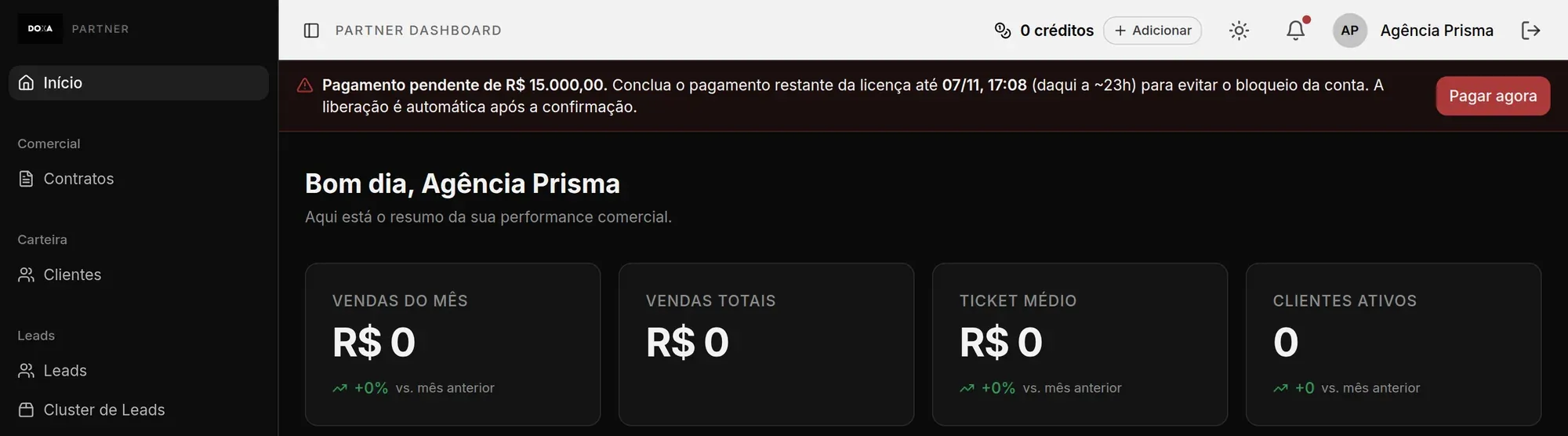
- From then on, the agency has 24 hours to pay. During that window, the agency dashboard shows the Pagamento pendente (pending payment) notice at the top, with the amount, the deadline and the Pagar agora (pay now) button.
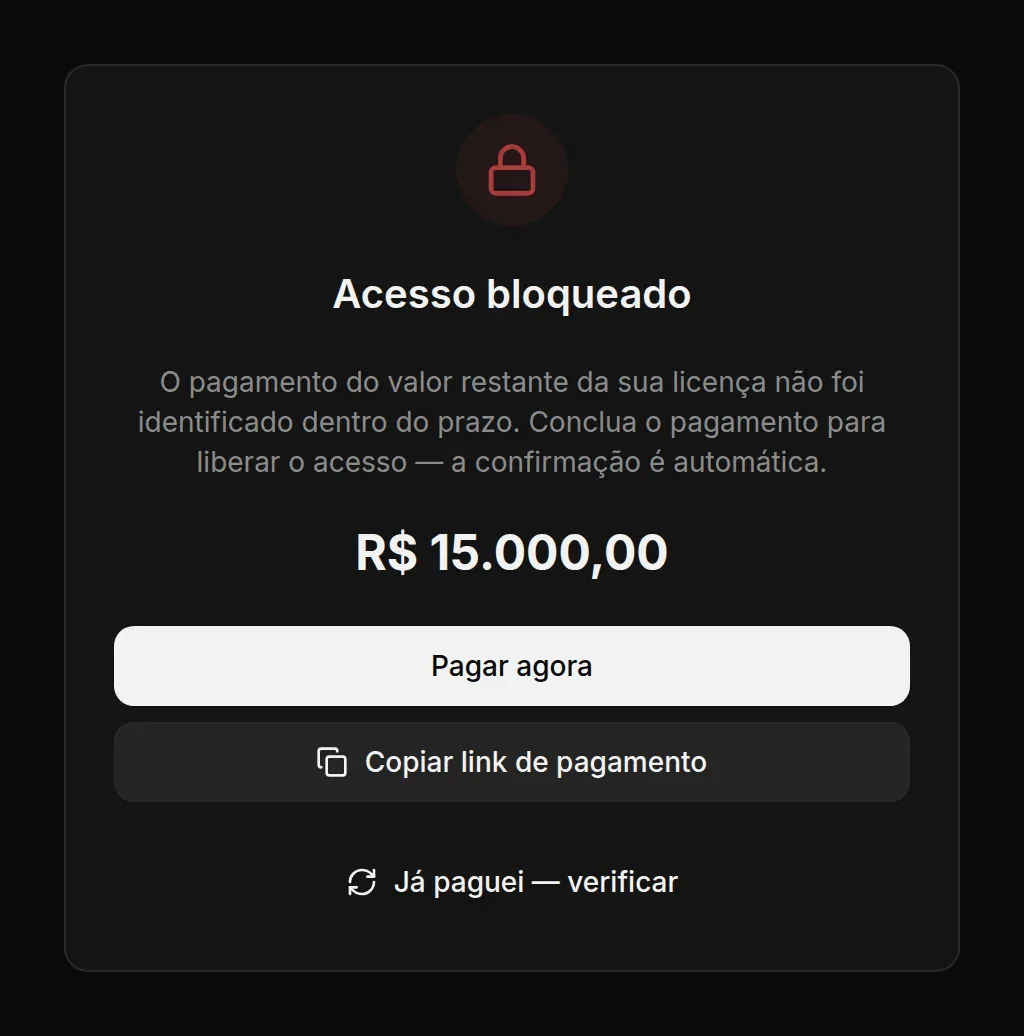
- If the deadline passes without payment, the agency dashboard is locked on the Acesso bloqueado (access blocked) screen. The agency can click Pagar agora (pay now), Copiar link de pagamento (copy payment link) to pay on another device, or Já paguei — verificar (I already paid — check) after paying.
What the block stops and what keeps working:
- The block applies to the agency owner. The agency’s team members can still sign in to the dashboard.
- Sales to clients through the agency’s payment links don’t stop.
- As soon as the payment is confirmed, access comes back automatically.
On the Sales screen, a license sale made through a link shows the upfront amount as already paid. The balance shows up as a separate payment after the agency pays it.