

Payment links
How to create and share the link a new agency uses to pay for its license.
On the Payment links screen you create the links you send to whoever is buying an agency license from you.
Create a link
Section titled “Create a link”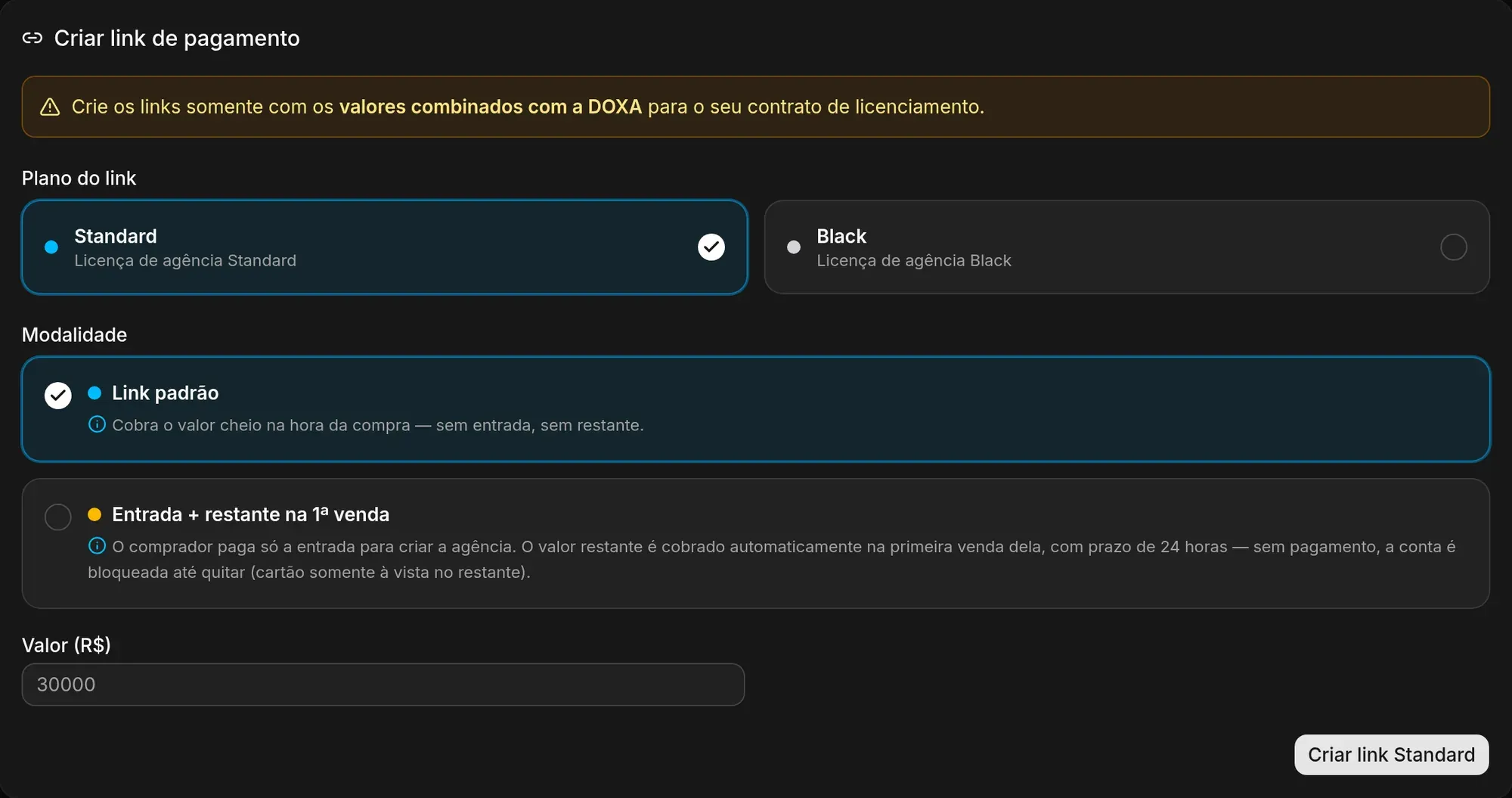
-
Under Create a payment link, choose the Link plan: Standard or Black.
-
Under Payment terms, choose how the buyer will pay:
- Standard link: charges the full amount at purchase, with no down payment and no remainder.
- Down payment + remainder on the 1st sale: the buyer pays only the down payment to create the agency. The remainder is charged on the agency’s first sale, with a 24-hour deadline. Without that payment, the agency’s account is blocked until it is settled.
- Down payment + remainder in N days: the buyer pays only the down payment. The remainder is due on the Remainder deadline you choose (7, 14, 21 or 30 days), counted from the purchase, whether or not the agency has sold anything. Without payment by then, the account is blocked until it is settled. This option is available for accounts in US dollars.
-
Enter the Amount. For terms with a down payment, enter the Down payment and the Remaining amount.
-
Check the summary and click the create button, such as Create Standard link.
The new link shows up on screen. Click Copy link and send it to the buyer. To create another one, click Create another link.
Your links
Section titled “Your links”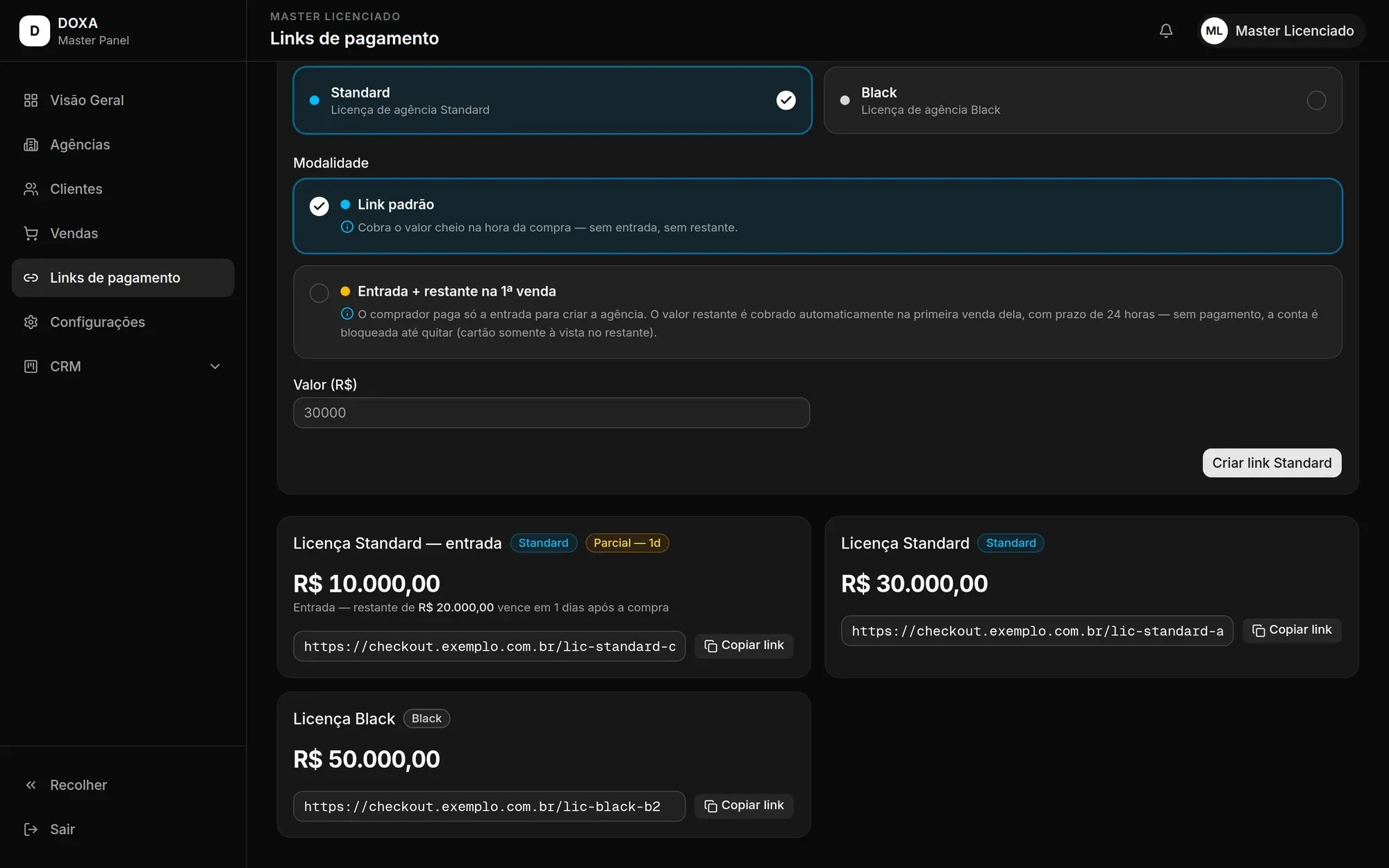
Below the form you find all your links, with the plan, the amount and, for links with a down payment, when the remainder is charged. Click Copy link to copy any of them.
When an agency pays for its license through a link, the link’s amounts go into its licensing contract automatically.