

Agencies
How to see the agencies under your license, filter the list and open each agency's page.
The Agencies screen lists every agency under your license, with each one’s sales and content figures.
Figures at the top
Section titled “Figures at the top”The cards at the top add up all your agencies:
- Agencies: how many agencies are under your license.
- Clients: how many clients those agencies have.
- Sales: how much the agencies sold.
- Posted videos and Total views: how many videos the agencies’ clients have published and how many views they got.
Filters
Section titled “Filters”- Social network: shows videos and views for a single network. The cards and the videos and views columns change with it.
- Contract: All or No contract, to see only the agencies that don’t have a licensing contract with you yet.
The agency list
Section titled “The agency list”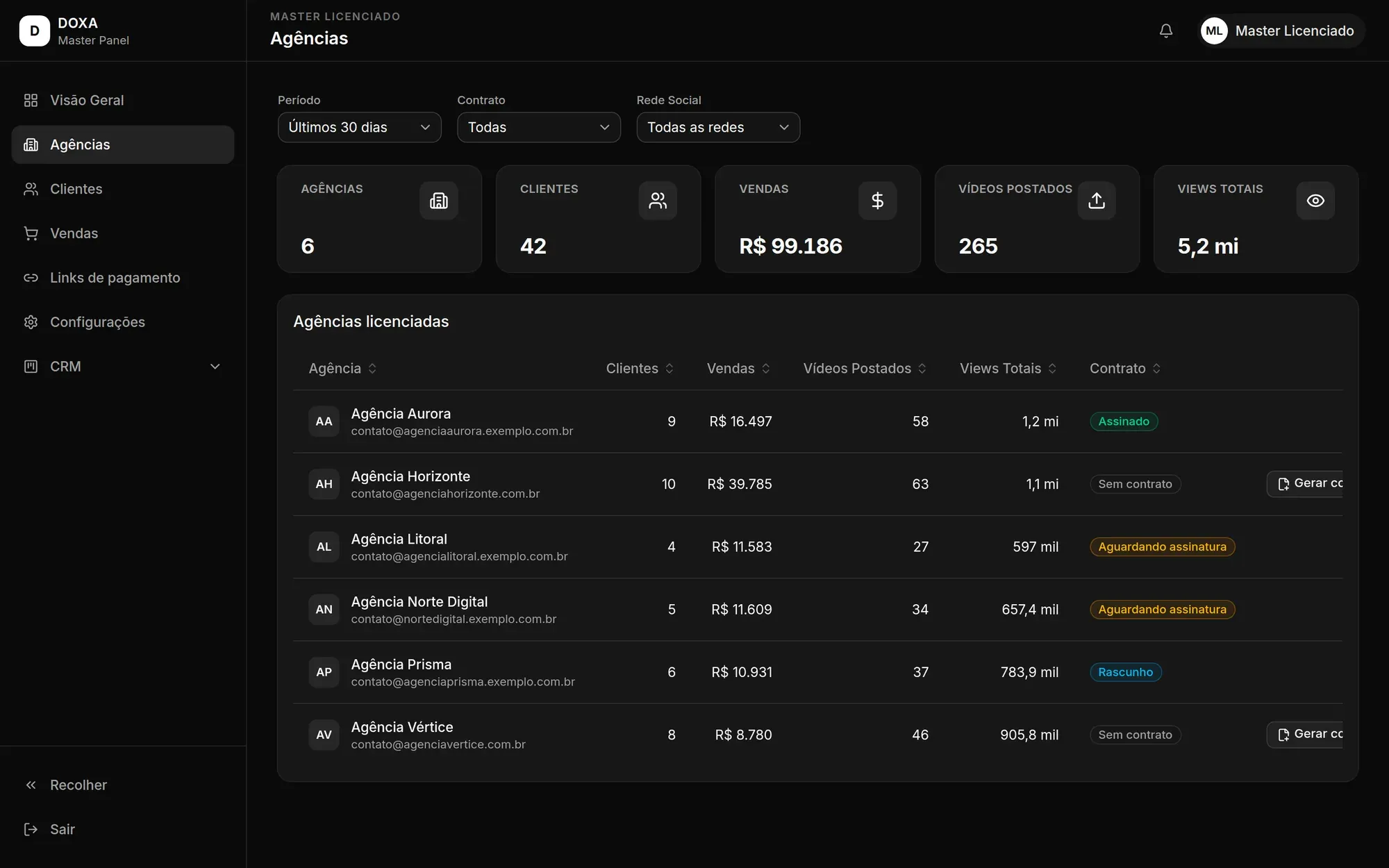
Each row shows the Agency, Clients, Sales, Posted videos, Total views and the status of the licensing Contract. Click a column name to sort the list by it.
When an agency has no contract in progress, its row shows Create contract. See how to continue in Licensing contracts.
Click an agency to open a summary with clients, sales, posted videos and views. To see everything about it, click View full details.
Agency page
Section titled “Agency page”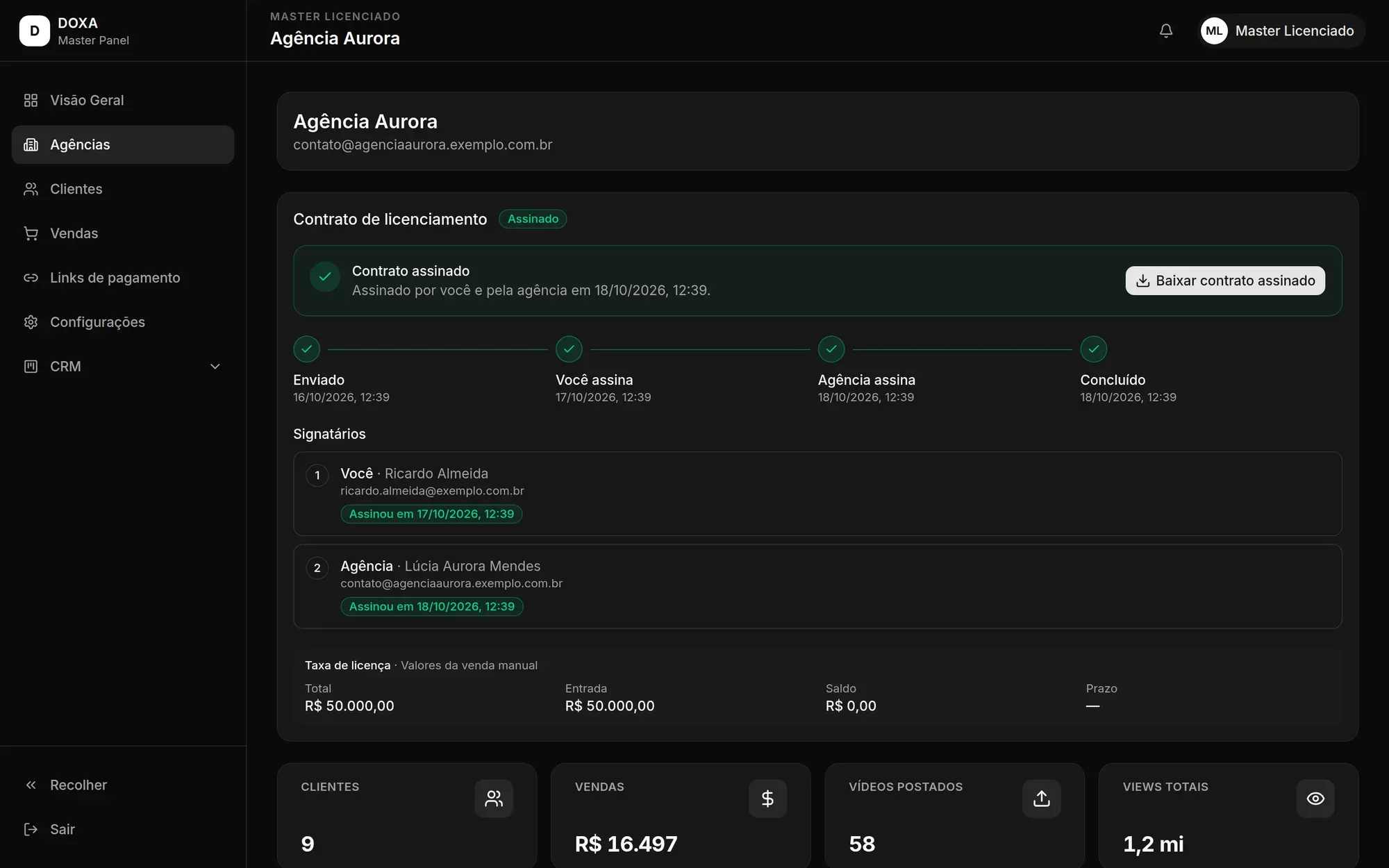
An agency’s page brings together:
- Licensing contract: the status of the contract between you and the agency, with the actions available at that moment. See Licensing contracts.
- The agency’s Clients, Sales, Posted videos and Total views cards.
- Client information: the agency’s clients, with posted videos and views. Click a client to see their details, as in Clients.
- Client status: each client’s status at the agency and their entry date.
- Contracts: the contracts the agency signed with its clients, with plan, contract value and status.
- Transactions: the payments the agency received from its clients, with amount and date.