

Clients
How to see the clients of all your agencies, with videos, views and onboarding answers.
The Clients screen brings together the clients of every agency under your license in one place.
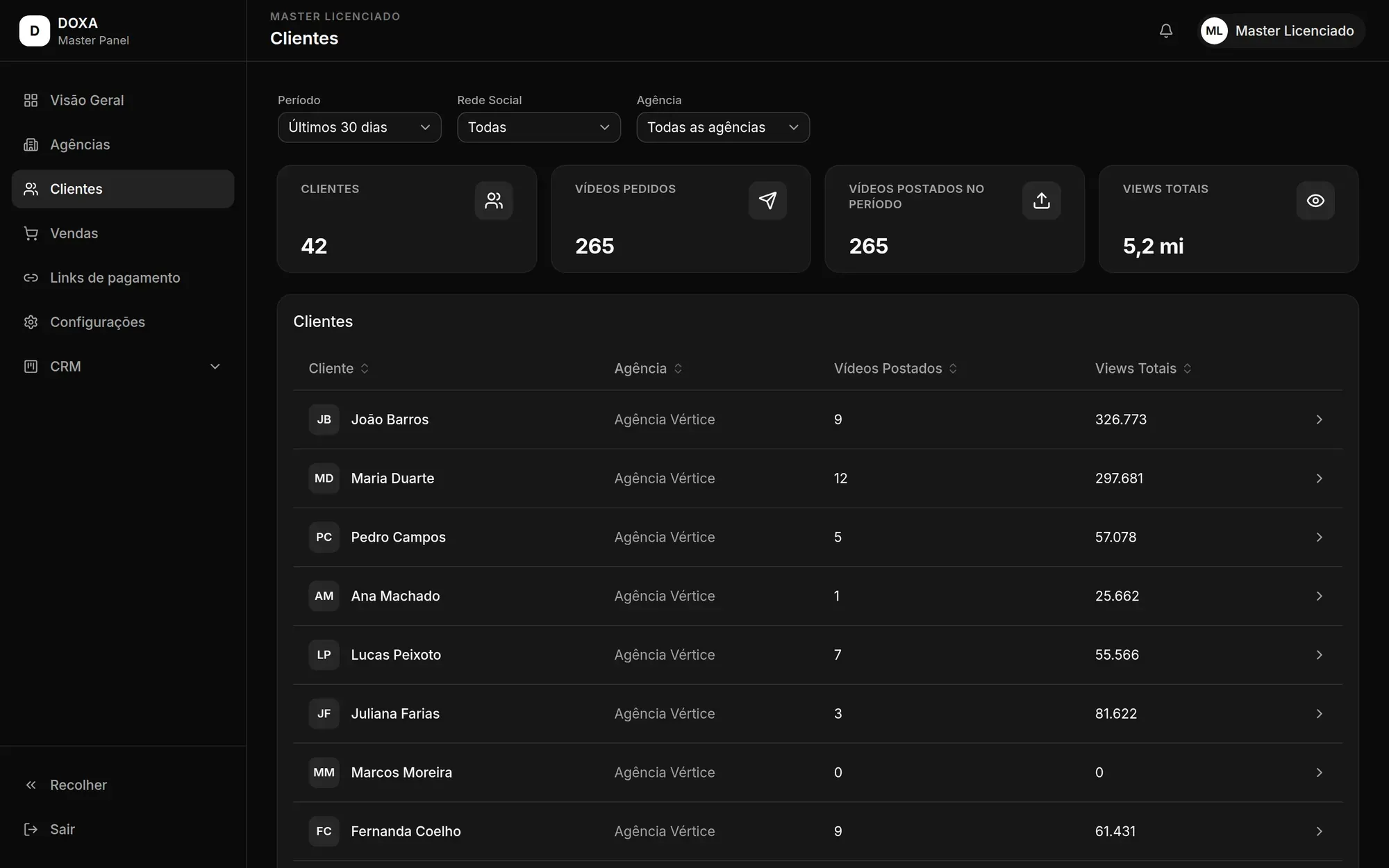
Filters
Section titled “Filters”- Social network: shows the figures for a single network, or for All.
- Agency: shows the clients of a single agency, or of All agencies.
The cards and the list change with the filters.
Figures at the top
Section titled “Figures at the top”- Clients: how many clients match the selected filters.
- Requested videos: how many videos those clients requested.
- Posted videos in period: how many of those videos were published.
- Total views: how many views the published videos got.
The client list
Section titled “The client list”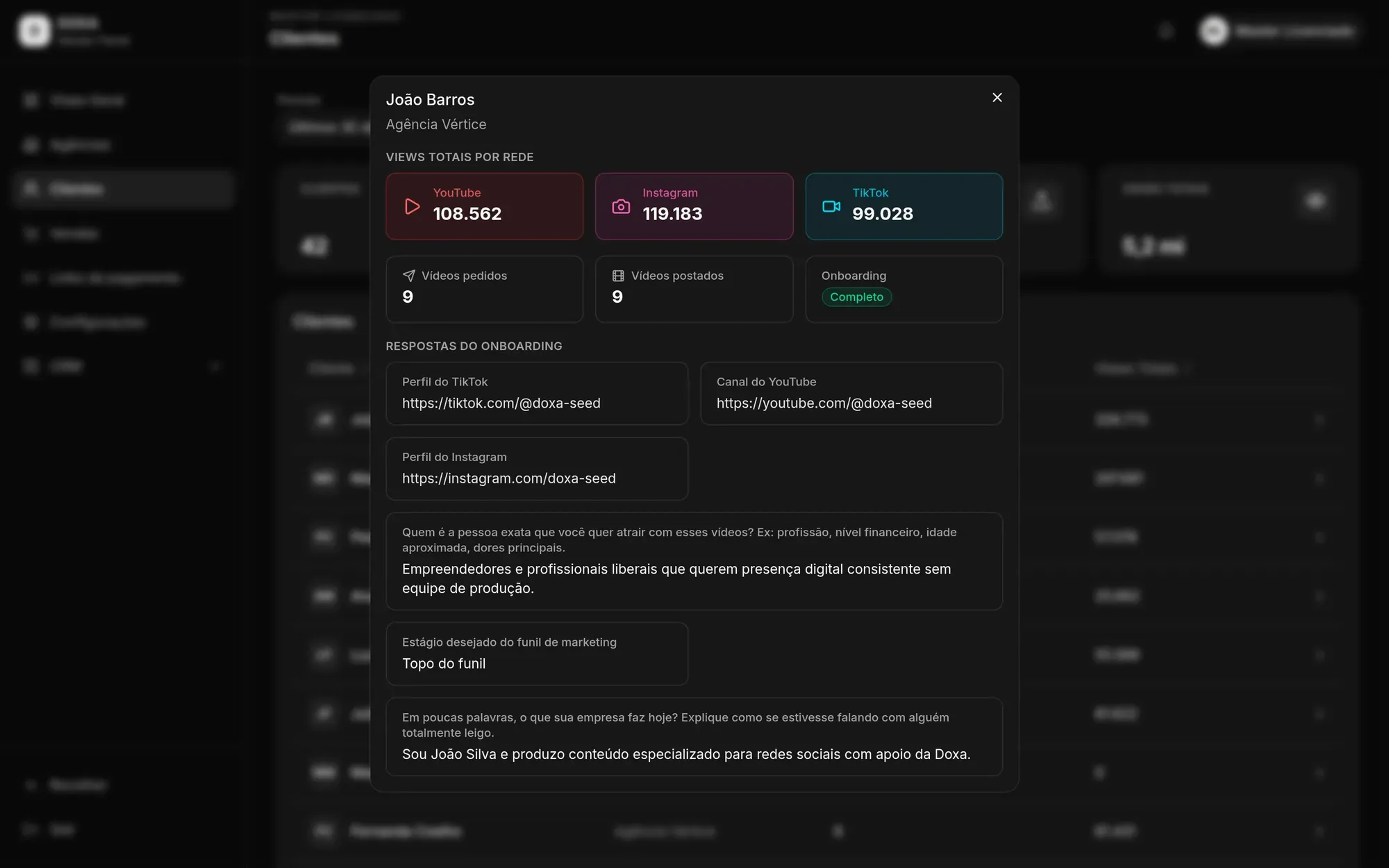
Each row shows the Client, their Agency, Posted videos and Total views. Click a column name to sort the list.
Click a client to open their details:
- Total views by network: views broken down by social network.
- Requested videos and Posted videos.
- Onboarding: Complete when the client has answered the onboarding, or Not started. With the onboarding complete, the Onboarding answers are shown too.