

How credits work
Where your credits come from, what uses credits, and what to do when they run out.
Credits pay for the use of artificial intelligence in the videos your clone shoots. They come with your plan.
Where to see your balance
Section titled “Where to see your balance”Your balance appears at the top of the screen, in the Credits counter. Hover over it to see how much each action uses. The Dashboard also shows your credits.
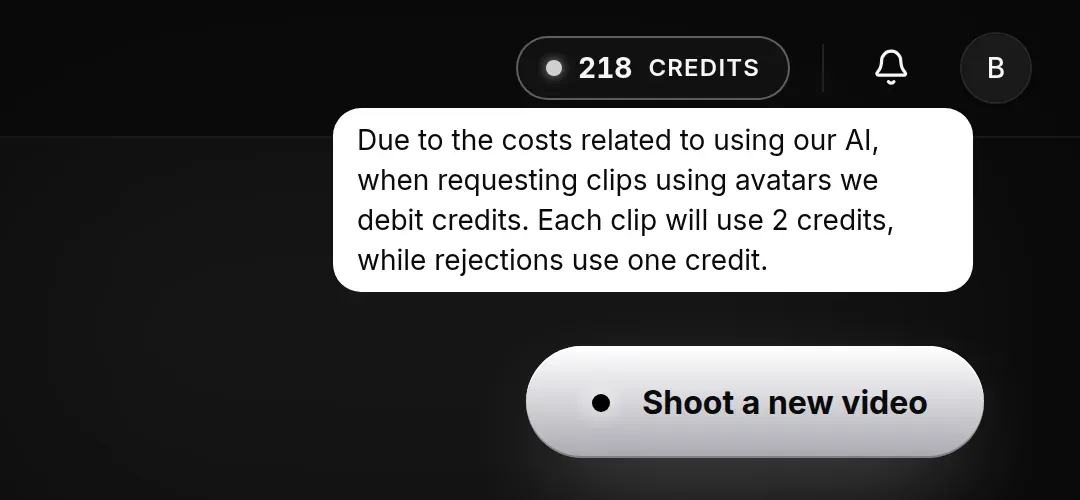
To see your plan and how many days are left before it ends, open My Account, in the My Plan tab.
What uses credits
Section titled “What uses credits”- Requesting a clip with your clone. Credits are deducted when you confirm the request.
- Rejecting a clip made with your clone.
The amount for each action appears in the Credits counter at the top of the screen.
Creating your clone, validating themes, generating scripts, and listening to the voice preview don’t use credits.
If something goes wrong when sending a clip request, no credit is charged.
Validity
Section titled “Validity”Credits belong to your plan and are valid until it ends. When the plan ends or is replaced by another one, leftover credits don’t carry over to the next plan. The number of credits varies by plan: to find out yours, talk to CS.
When your credits run out
Section titled “When your credits run out”Without enough credits, Doxa won’t let you request a new clip and shows a notice. To keep generating videos, talk to CS.